
Digitizing Family History: Step-by-Step Video Preservation Guide
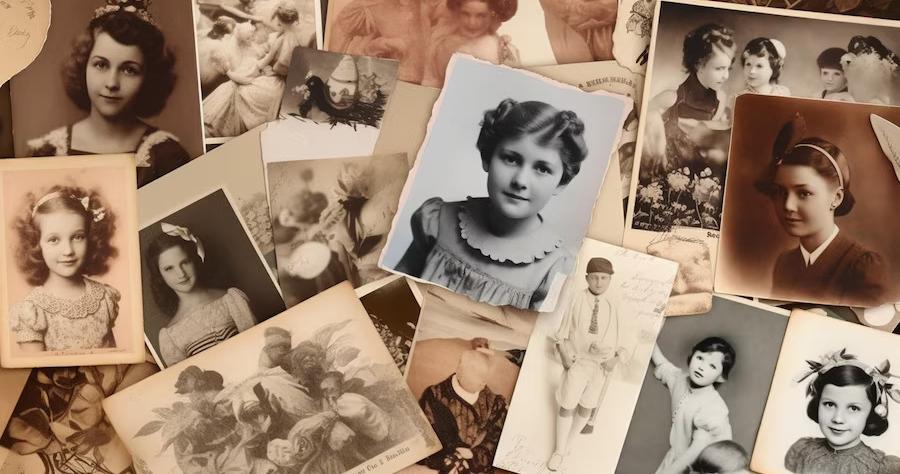
Embarking on the journey of digitizing your family history is like opening a treasure chest; you never know what gems you'll find tucked away in old tapes and photographs. As you begin, you'll discover that selecting the most poignant memories for digitization isn't just a technical task—it's a deeply emotional process that requires preparation.
You'll learn how to transfer these precious memories into a more durable and accessible digital format, enhance their quality, and even weave in photos to create a richer narrative. This guide will take you through the steps of choosing the right digitization methods, enhancing video quality, and exploring archival storage solutions, ensuring that your family's legacy is preserved for generations.
Along the way, you'll also uncover the best practices for sharing these digital treasures and safeguarding them with backups. So, let's embark on this meaningful journey together and discover how you can keep your family's history alive in the digital age, ensuring that future generations can share in the joy and nostalgia of these cherished moments.
Key Takeaways
-
Prioritize selecting tapes with significant content for digitization
-
Consider professional enhancement services for the best results in enhancing video quality
-
Invest in archival storage media like M-DISCs for longevity and durability in archiving and storage solutions
-
Use cloud storage services like Google Drive or Dropbox for backups and easy sharing in sharing and backing up
Preparing Your Videos
Before diving into the digitization process, it's crucial to carefully select the tapes that hold the most significance for conversion . This step is about prioritizing—chances are, not every tape is worth the effort or storage space. Pick the moments that truly capture the essence of your personal and family history .
Once you've identified these treasures, consider how you'll digitize them. Purchasing a quality converter on eBay or opting for a professional Movie Maker service can ensure the preservation of your memories in the digital realm.
If you're leaning towards a DIY approach, ensure you understand the process of transferring these memories into a compatible storage media format.
Choosing Digitization Methods
Selecting the right digitization method is crucial for preserving your video memories with the highest fidelity and convenience. The goal is to secure your old family archives without losing the essence of those precious moments. Here's a systematic approach to converting your VHS and other tape formats into digital gold:
-
Choose Your Tool: Consider purchasing a dedicated video converter or outsourcing the digitization task. A good converter will ensure your family history records are transferred with clarity. If you're not tech-savvy, professional services can handle the preservation with expertise, ensuring your archives are in safe hands.
-
Preparation is Key: Before converting , clean your reels and tapes to remove any dust and debris. This step is crucial for preventing damage to your tapes and the converter, thus preserving the quality of your videos.
-
Editing and Curating: After transferring tapes to a computer file, utilize software like ProShow, iMovie, or Windows Movie Maker for editing. This is where you can add metadata to your digital files, making it easier to organize and share your family history records. Remember, it's not just about preserving but also about curating your family's legacy for future generations.
Enhancing Video Quality
After converting your family tapes into digital files, it's crucial to focus on enhancing video quality to ensure your memories shine in their best light. Whether you've dusted off your Movie VHS or discovered a motion picture film that encapsulates your personal and family history , the next step involves decisions on improving the footage.
Using video editing software is the cornerstone of this process. Here's a quick guide:
| Task | Action |
|---|---|
| Adjust Brightness | Make the picture brighter or dimmer. |
| Contrast and Color | Enhance or reduce contrasts; correct colors. |
| Remove Noise | Use filters to clean up visual imperfections. |
| Professional Services | For best results, consider expert enhancement. |
Incorporating old archives takes patience and precision. It's about separating movie clips that merely hold space from those that vividly bring your family's past to life. Not only does enhancing video quality breathe new life into these moments, but it also ensures they're preserved in high-quality formats for future generations. Remember, a simple converter on eBay can start this journey, but it's your dedication that will truly safeguard your history.
Order Digital Conversion Today
ORDER TODAYArchiving and Storage Solutions
Once you've enhanced the video quality, it's time to focus on archiving and choosing the right storage solutions to safeguard your digital memories. The key is to find a method that not only preserves your family's memories efficiently but also provides the freedom to access and share them as you wish.
Here are three essential steps to consider:
-
Invest in Archival Storage Media: Opt for M-DISCs, which the Library of Congress offers recommendations for, due to their longevity and durability. Unlike a standard hard drive or the original USB that might fail, M-DISCs are designed to last for centuries without degrading.
-
Cloud Services for Flexibility: Utilize cloud services, such as Dropbox, to store your digital files. This not only acts as a backup but also allows easy sharing and downloading. Linking your online account with family members ensures that everyone has access to these cherished memories.
-
Regularly Update Storage Methods: Technology evolves rapidly. A converter on eBay that might seem like a relic today was cutting-edge yesterday. Transferring your files onto new media every few years prevents them from collecting dust in formats that become obsolete. Always include detailed metadata to keep track of the content over time.
Sharing and Backing Up
Having established a solid foundation in archiving and storage solutions, it's crucial to explore strategies for sharing and backing up your cherished digital memories. Sharing personal memories can bring your family closer while ensuring these memories are preserved for generations. Let's dive into a detail-oriented approach to make sure you've got all bases covered.
| Method | Tips |
|---|---|
| Cloud Storage | Use Google Drive or Dropbox. Regularly update backups. Make sure to read and manage Comments. |
| External Drives | Backup files as an additional measure. Recap: Save and double-check metadata. |
| Shared Folders | Create on platforms like Google Drive for family members to easily share one another's memories. |
| DVDs & USBs | Offer versatile options. Take the time to label and organize for easy sharing. |
Frequently Asked Questions
How Do I Digitize Family History?
To digitize your family history , choose the right equipment and consider digital formats. Scan carefully, preserving audio and restoring images. Use cloud backups for storage, addressing privacy concerns. Share via platforms, noting metadata's importance.
How Do I Archive Family Photos and Videos?
To archive family photos and videos, you'll need to master scanning techniques, choose the right format, and use cloud storage for backup. Don't forget about metadata tagging, privacy concerns, and using mobile apps for easy sharing.
How Do You Organize Digital Genealogy Records?
To organize your digital genealogy records, start by creating logical folder structures and using digital naming conventions. Utilize genealogy software for metadata tagging and record categorization—secure backups in cloud storage options with appropriate sharing permissions.
How Do I Start Recording Family History?
Diving into recording your family history , you'll want to start by choosing topics and scouting locations that spark memories. Prep interviews, select the right equipment, and plan a schedule, always considering consent and storytelling techniques.
Order Digital Conversion Today
ORDER TODAYDigitizing Family History Final Remarks
You've carefully followed each step, from selecting tapes to enhancing video quality, and now your family's history is digitized.
Are you worried about the technical side? Don't be. You've proven that with guidance and patience, anyone can preserve precious memories. Now, it's all about enjoying and sharing these treasures. Store them securely, back them up, and spread the joy.
Remember, every clip shared is a story told, keeping your family's legacy alive for generations to come.